
Download 4 working best Garden Tower Defense Scripts for PC and Mobile. Updated regularly with the latest free scripts.
![Tora IsMe Garden Tower Defense Script [No key]](https://bloxscriptsdb.net/files/items/ff6YmDuJ00JBbSp_1785036548.webp)
Defending your garden in Garden Tower Defense starts out easy, but later waves become much harder. You need to place the right units, upgrade them at the perfect time, collect resources, and survive endless waves of enemies. After a while, doing everything manually can feel repetitive.
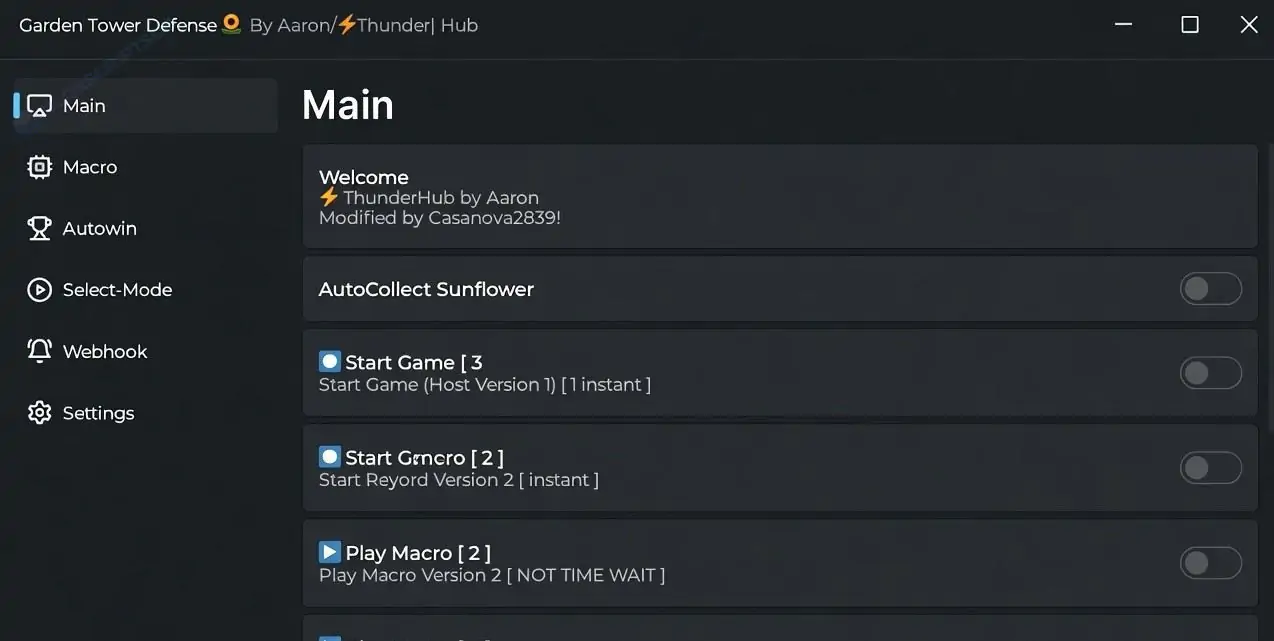
Instead of constantly placing towers and upgrading them yourself, many Roblox players use a Garden Tower Defense Script to automate common tasks. The latest scripts include features like Auto Farm, Auto Buy, Auto Place, Auto Upgrade, Auto Skip, Auto Collect, Macro, and God Mode. Many script hubs also provide No Key access, making them quick to use with a compatible Roblox executor. Garden Tower Defense itself revolves around defending your base with hundreds of plant-themed units, regular updates, and multiple game modes.
Disclaimer: Using third-party Roblox scripts may violate Roblox's Terms of Service. This guide is for educational purposes only. Use scripts at your own risk.
Garden Tower Defense is a Roblox strategy game where players defend their base from waves of enemies by placing powerful plants, flowers, and defensive units. As you progress, you'll unlock stronger units, upgrade your defenses, and survive increasingly difficult waves. The game also receives regular updates with new units, modes, and events.
As the difficulty increases, farming coins, placing towers, and upgrading every unit manually becomes time-consuming. This is why many players look for Garden Tower Defense scripts.
A Garden Tower Defense Script is a Roblox Lua script that automates many gameplay tasks. Instead of manually placing towers, collecting rewards, or upgrading units every round, the script performs these actions automatically. Most updated scripts also include an easy-to-use GUI that works on both PC and mobile executors.
Auto Farm automatically plays matches, defeats enemy waves, and collects rewards. It is one of the fastest ways to earn coins and progress through the game.
This feature automatically purchases selected units or upgrades whenever enough currency is available, saving time during long farming sessions.
Auto Place instantly deploys your selected towers in predefined locations. This helps you start every match with an effective defense.
Auto Upgrade continuously upgrades your placed units whenever possible, improving their damage and helping you survive later waves.
Instead of clicking the skip button every round, Auto Skip immediately starts the next wave, making farming much faster.
Auto Collect automatically gathers coins, rewards, drops, and other available items without requiring manual interaction.
Macro records your actions during a successful run and repeats them automatically in future matches. This makes farming much more consistent.
Some script hubs include God Mode or similar defensive features that improve survivability during difficult stages.
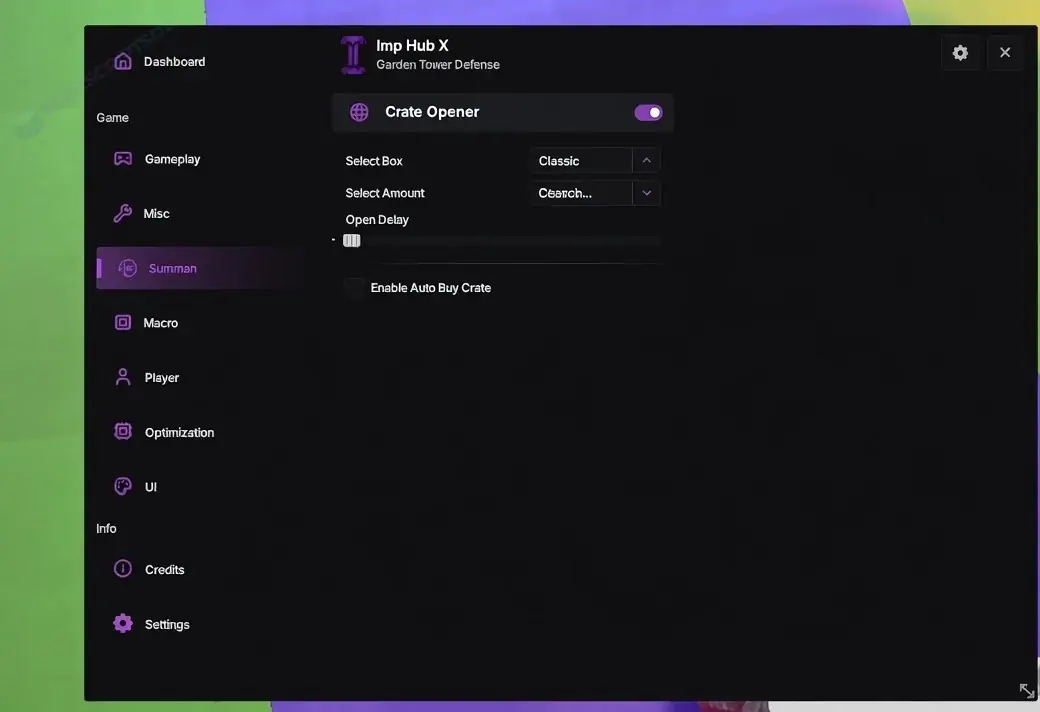
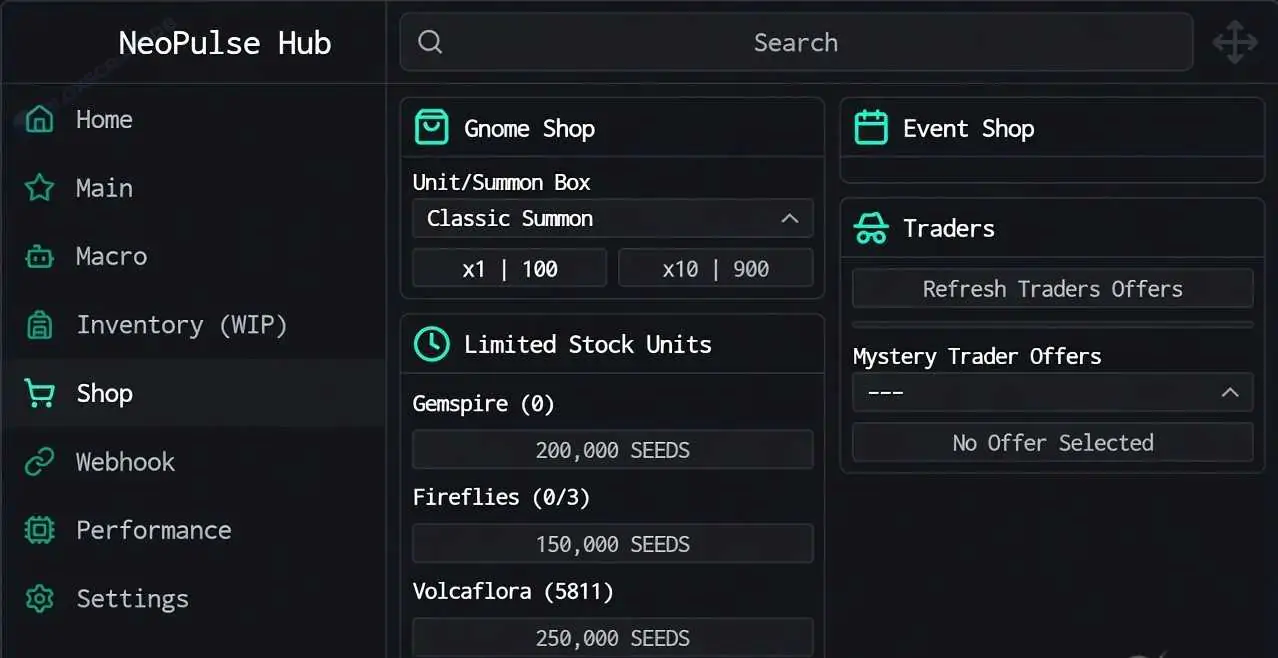
Most Garden Tower Defense scripts include a simple interface with toggle buttons, allowing beginners to activate features with just a few clicks.
Some of the most popular Garden Tower Defense script hubs include:
Most updated hubs support Auto Farm, Auto Place, Auto Upgrade, Auto Skip, Macro, Auto Collect, and mobile compatibility.
Instead of manually replaying every wave, players automate repetitive farming and earn rewards more efficiently.
Auto Farm and Auto Upgrade help players unlock stronger units and complete difficult stages more quickly.
Placing and upgrading towers every match becomes repetitive. Automation handles most of the routine work.
Macro support allows players to repeat successful strategies automatically, making long farming sessions easier.
Most script hubs include clean GUI menus that are simple enough for new players to understand.
Update both your Roblox executor and the latest version of the script.
Wait until the game fully loads before executing the script again.
Most automation breaks after game updates. Download the newest version of the script.
Restart Roblox, update your executor, and close unnecessary background applications.
Garden Tower Defense Script is a Roblox Lua script that adds features like Auto Farm, Auto Buy, Auto Place, Auto Upgrade, Auto Skip, Auto Collect, Macro, God Mode, and other gameplay improvements.
A Garden Tower Defense Script No Key works without any key verification. Simply execute the script with a compatible Roblox executor and access its features immediately.
Yes. Most public script hubs are available for free, although some private hubs may offer additional premium features.
Yes. Many updated scripts support Android, iPhone, iPad, and Windows when used with a compatible Roblox executor.
Scripts usually stop working after game updates. Download the newest version and make sure your executor is fully updated.
No Roblox script is completely safe. Using third-party scripts may result in warnings or account restrictions.
Garden Tower Defense becomes much more challenging as stronger enemy waves appear, and repeatedly placing, upgrading, and farming units can take a lot of time. Features like Auto Farm, Auto Buy, Auto Place, Auto Upgrade, Auto Skip, Auto Collect, Macro, and God Mode help automate these repetitive tasks and make progression much smoother.
If you decide to use a Garden Tower Defense Script, always download the latest version from a trusted source, keep your executor updated, and remember that using third-party Roblox scripts is entirely at your own risk.
More Scripts: Blade Ball Script | Driving Empire Script | Solo Hunters Script